How do I set up in-app purchases?
Purpose
This guide will help you configure in-app purchases in the Apple App Store Console. Setting up in-app products—such as subscriptions or premium content—is required for your Memorang-powered app to offer and process paid features.
Steps: Setting up in-app purchases
Go to https://appstoreconnect.apple.com/apps and select your app.
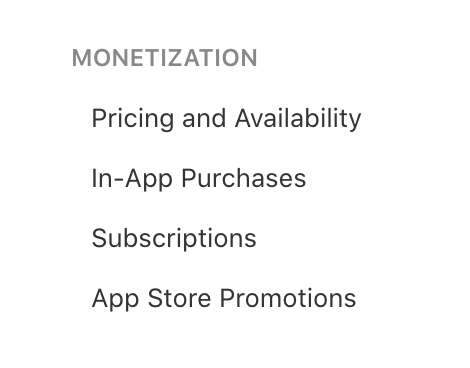
Scroll down the left navigation drawer and select "Pricing and Availability" under "Monetization".
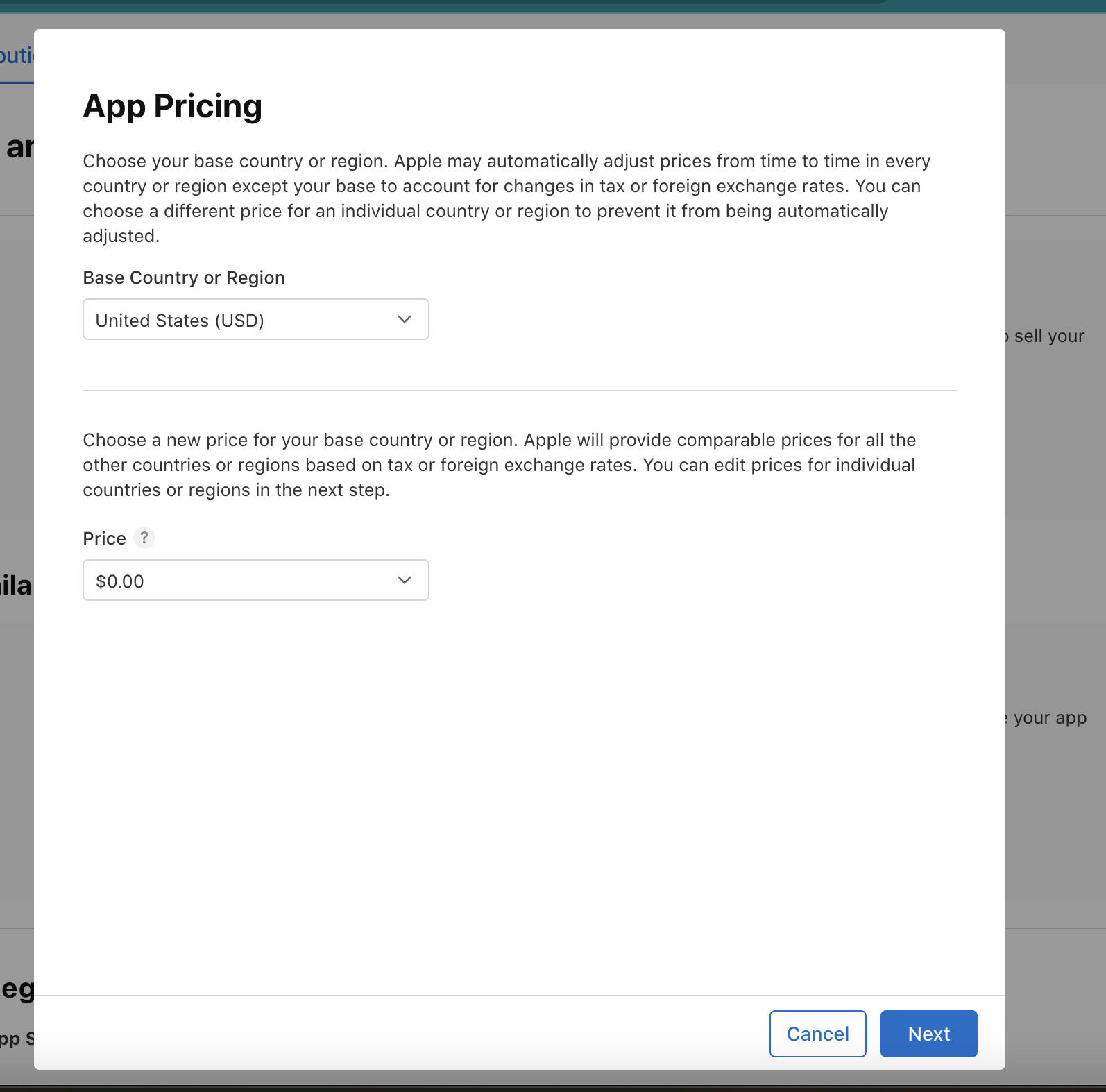
Click on add app pricing button and choose the base country and price (price should be set to 0) .
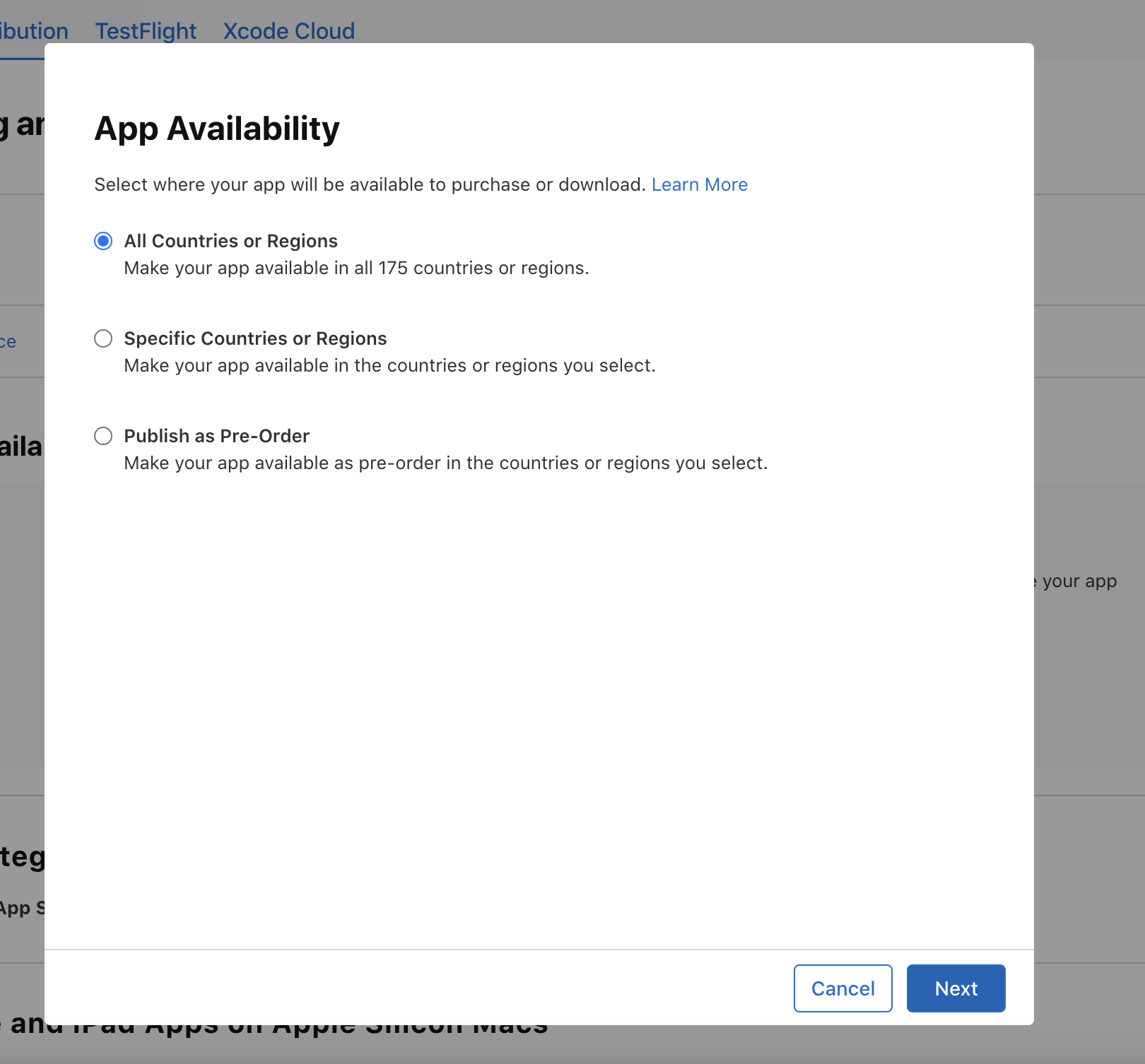
Click on the "App Availability" button and select the appropriate option for your app.
Click on "In-App Purchases" in the left drawer under "Monetization"
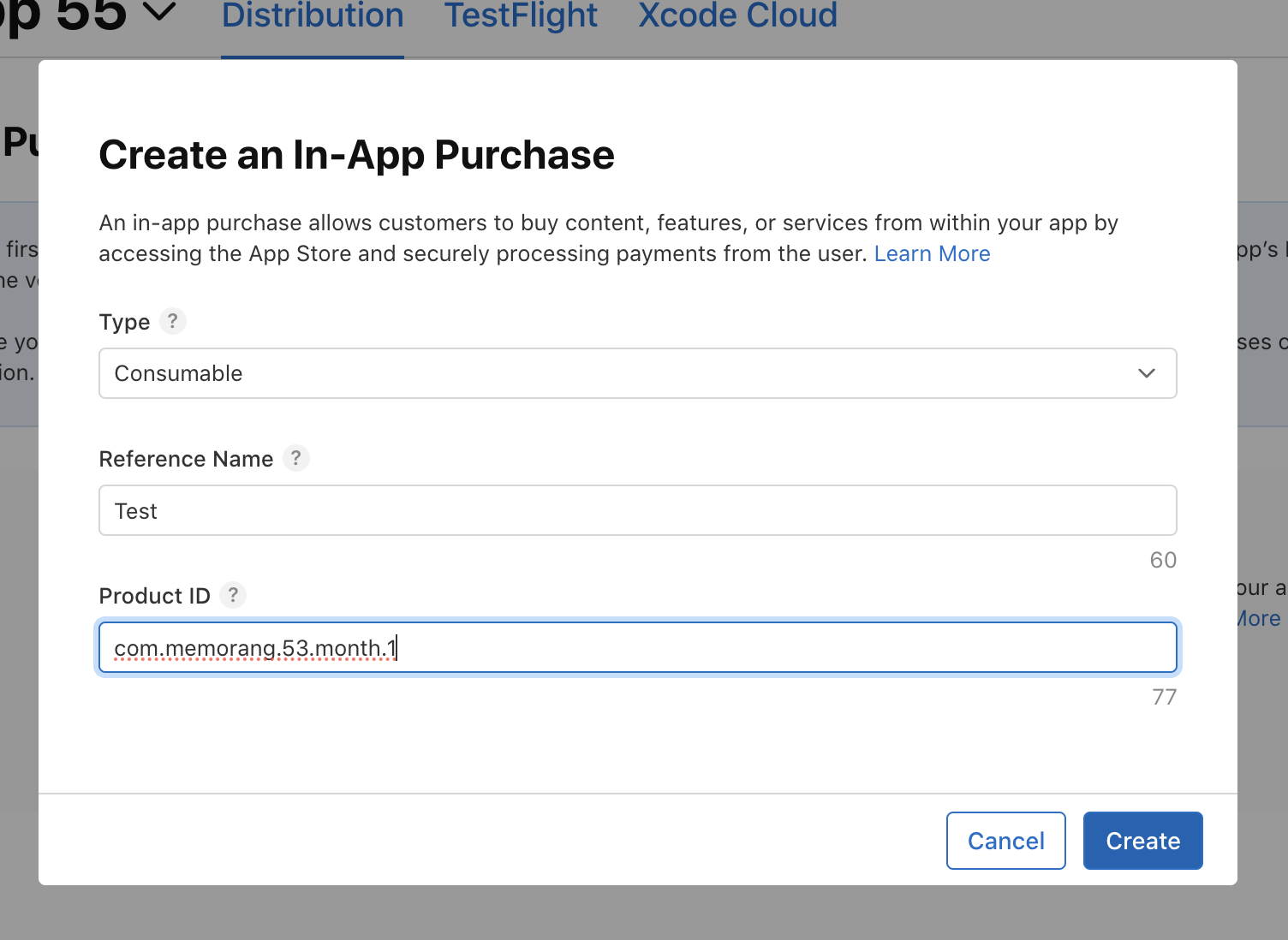
Click the "Create In-App Purchase" button and fill out the details. The product ID should follow this format: [app_bundle_id].[product_id].[subscription_type].[duration]
Right after you create an in-app purchase, fill out the availability, pricing, and promotional details.
For the App Store Promotion (Optional): Request the Memorang team to provide a paywall screenshot.