How do I set up data usage handling?
Purpose
To complete the required data safety setup by providing key app information—such as contact details and data handling practices—ensuring compliance with Google Play’s user data policies and enhancing transparency for users.
Note: Remember to click the "Save" button in the bottom-right corner of each dialog box.
Steps
Under "Personal Info," click the "Show" button on the right.
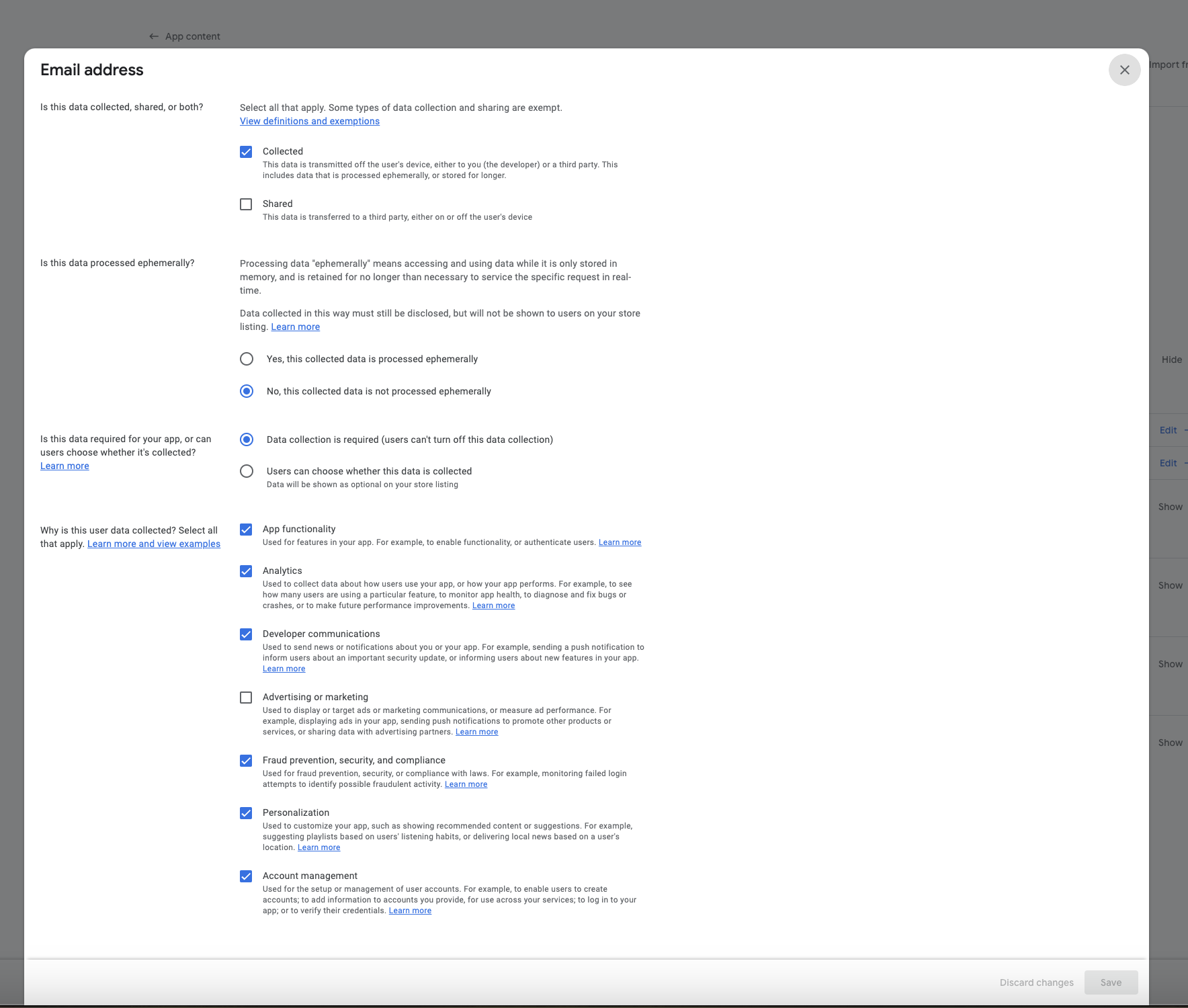
Click "Start" for the email address section and complete the details as shown in the screenshot below.
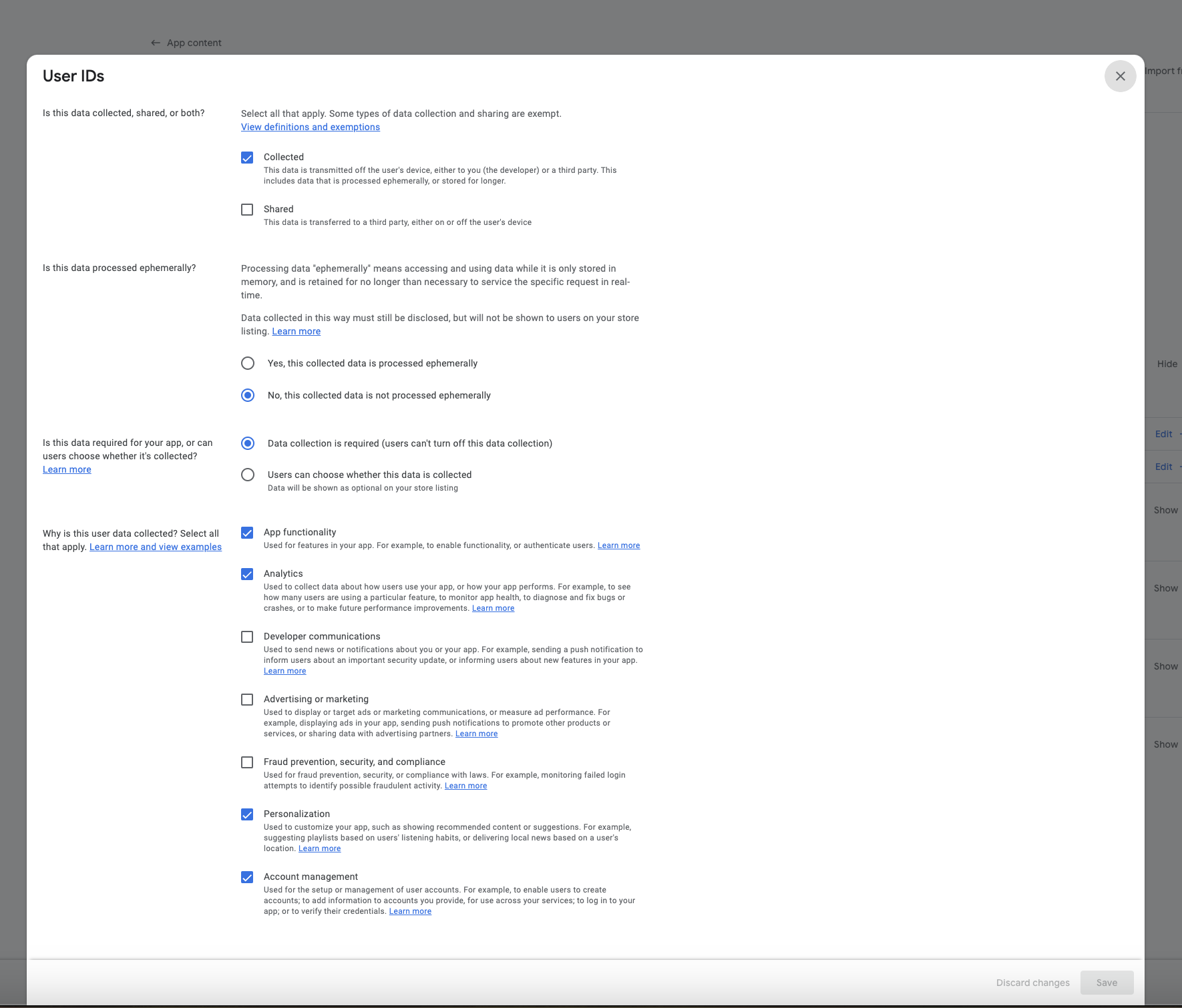
Click "Start" for the User IDs section and complete the details as shown in the screenshot below.
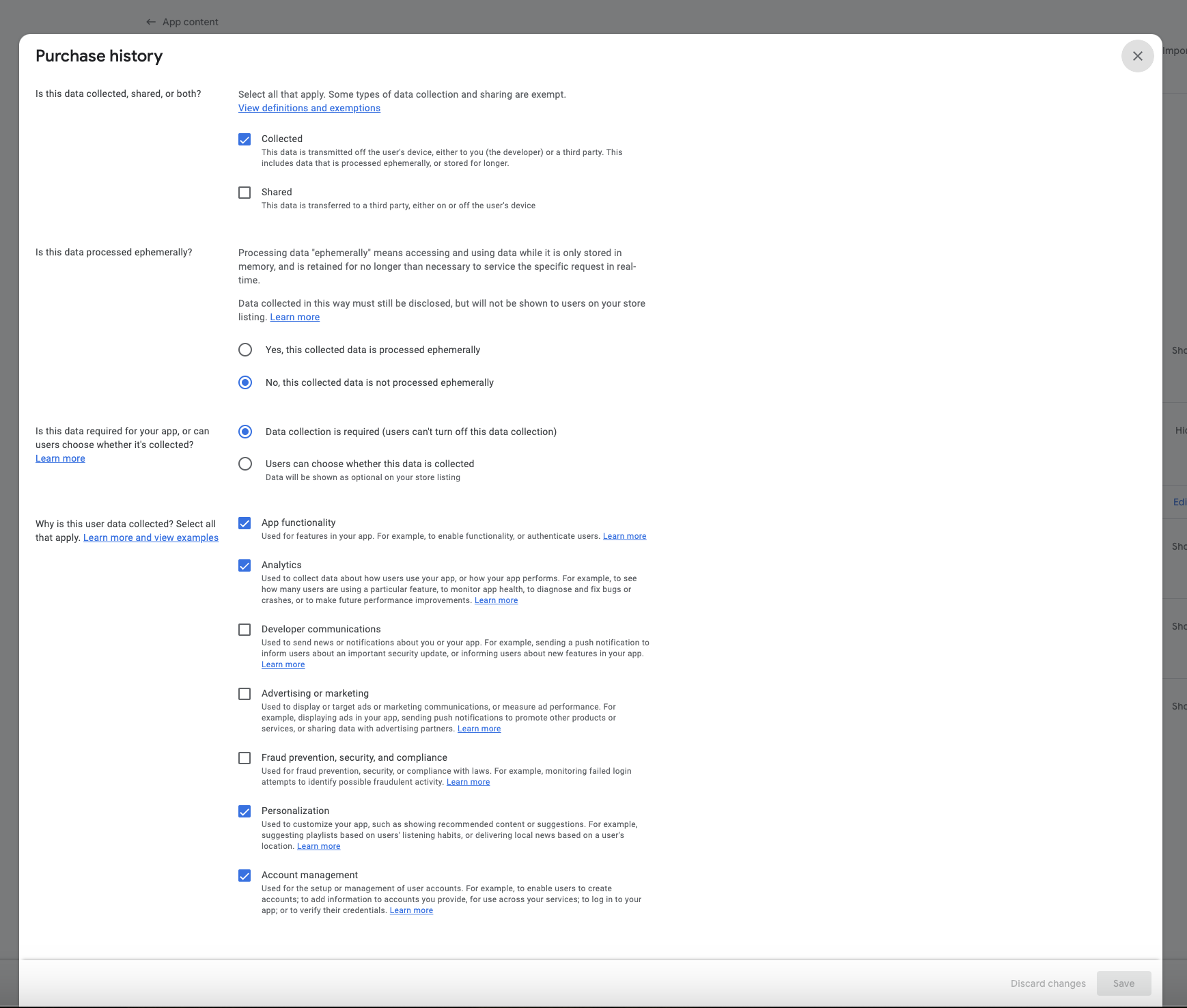
Next, click "Show" under "Financial Info." Then click "Start" for the purchase history section and complete the details as shown in the screenshot below.
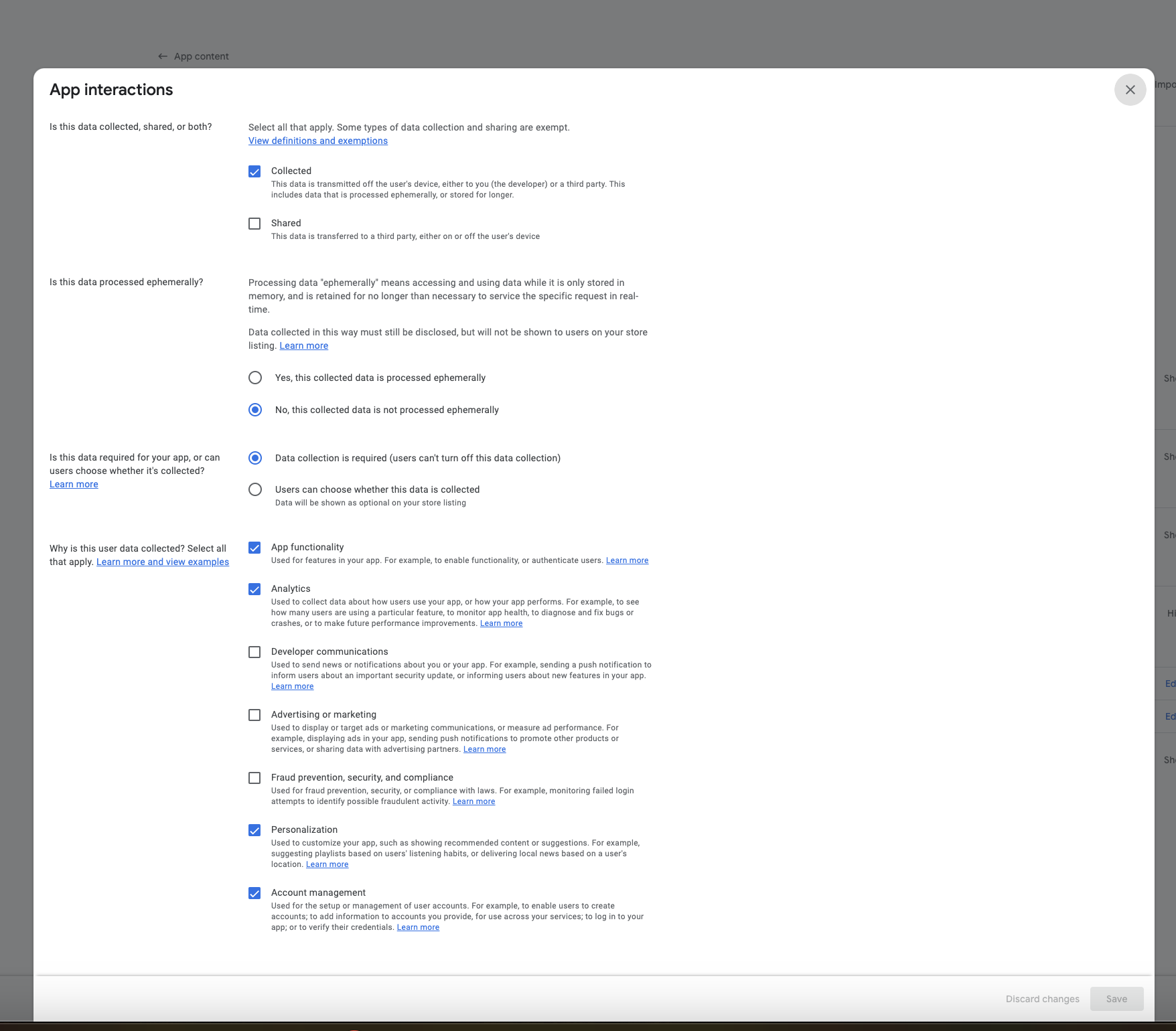
Next, click "Show" under "App Activity." Then click "Start" for the App Interactions section and fill out the details as shown in the screenshot below.
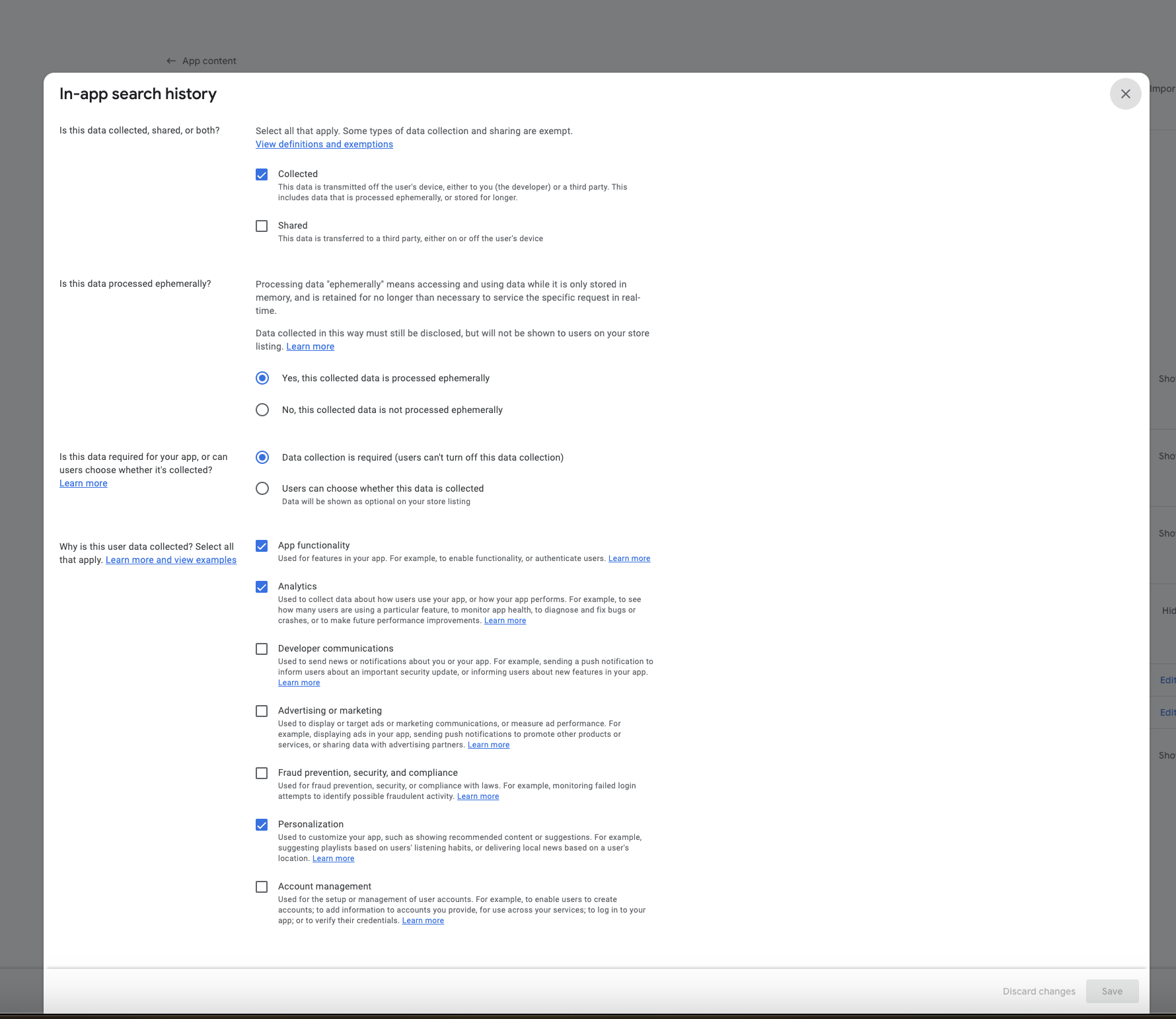
Click "Start" for the in-app search history section and complete the details as shown in the screenshot below.
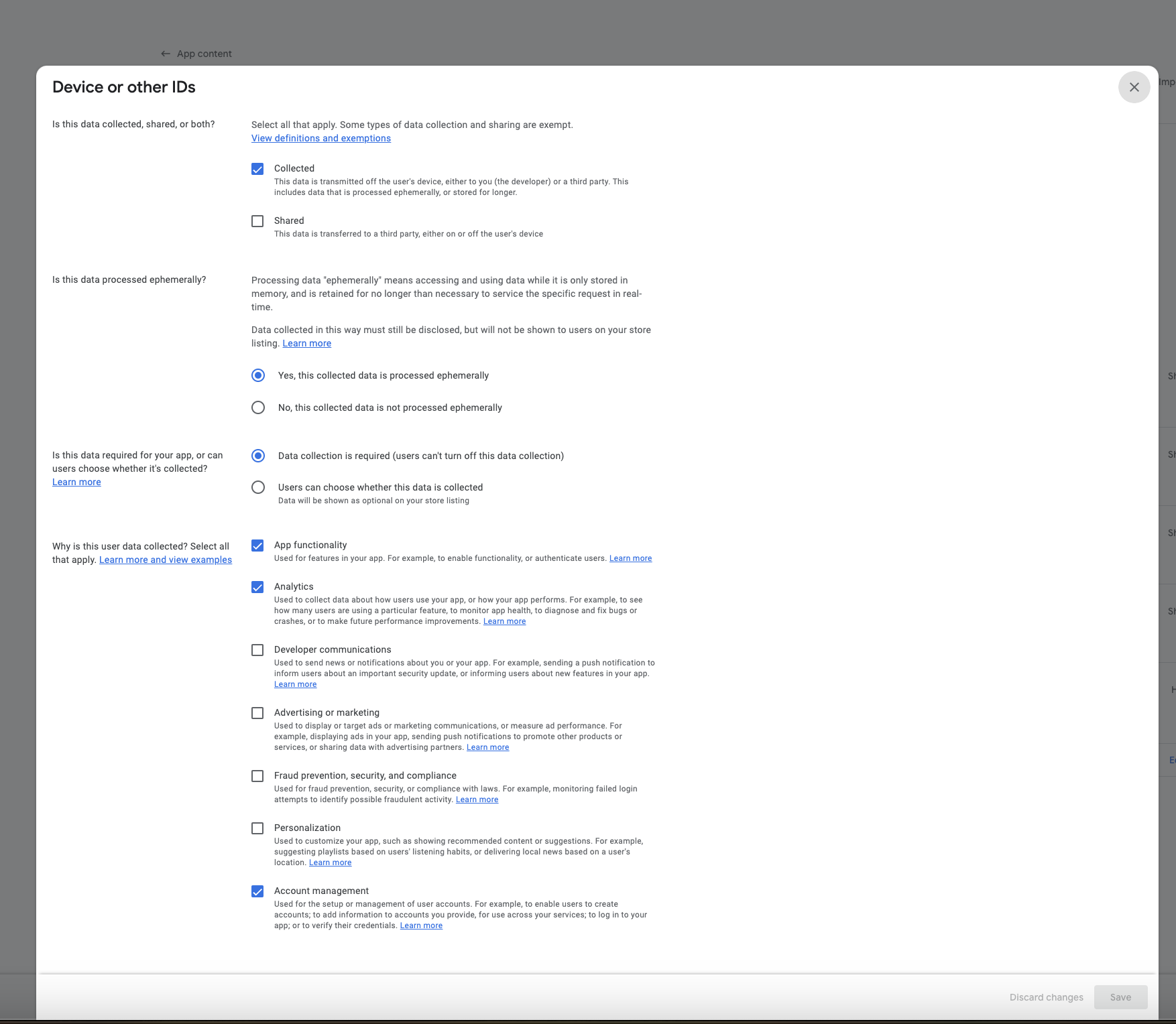
Now click "Show" under "Device or Other IDs." Then click "Start" for the Device or Other IDs section and fill out the details as shown in the screenshot below.