How do i set up a service account credentials?
Purpose
This guide will walk you through setting up the Google service credentials required for RevenueCat to securely communicate with Google Play on your behalf. While the configuration process is a bit technical, it ensures that RevenueCat only receives the minimum level of access necessary, enhancing both security and control over your app's billing and subscription data.
Steps:
Enable the google developer and reporting API
Go to the API Console.
From the projects list, select a project or create a new one.
Go to the Google Play Android Developer API page and the Google Play Developer Reporting API page in Google Cloud Console.
Click Enable. (This will say Manage when it is enabled.)
Create a Service Account and download the json file
Go to the Cloud Console and select the appropriate project
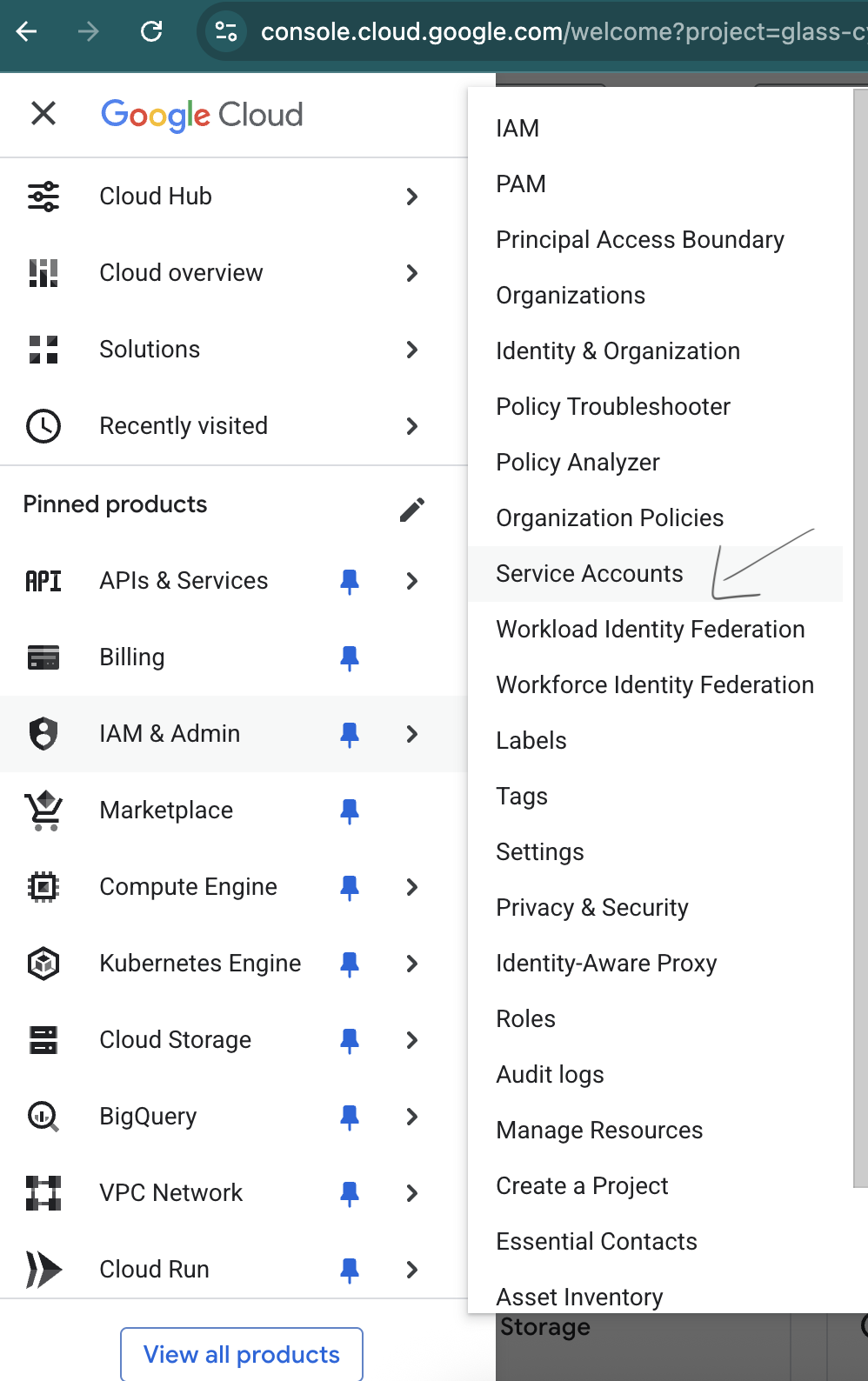
Open the left drawer and select IAM & ADMIN -> Service Accounts
Click on + Create service account button on the top
Give service account a name and select create and continue
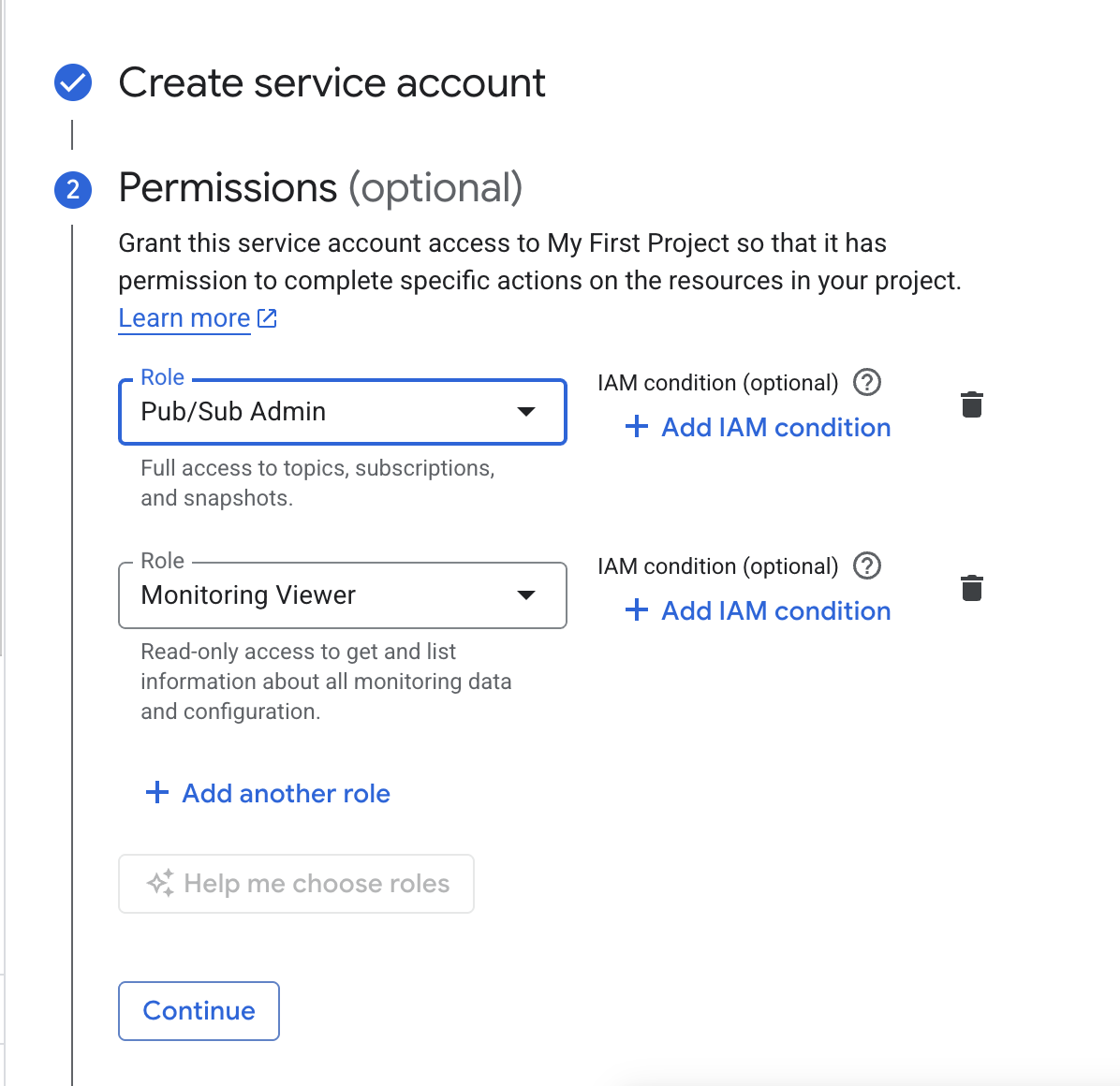
In the next step, give appropriate permission as shown in the screenshot below. (You can search for those permissions and select them to add it)
Click continue and done
Click on the 3 dot menu and select manage keys

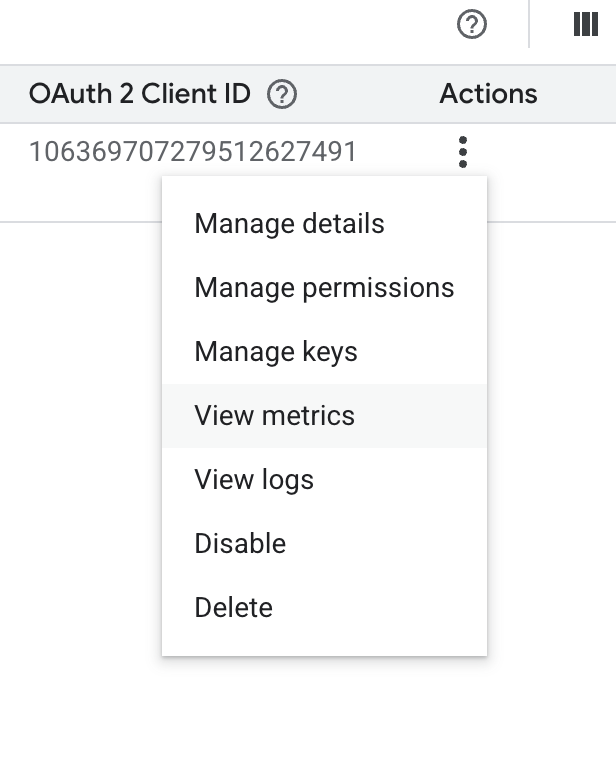
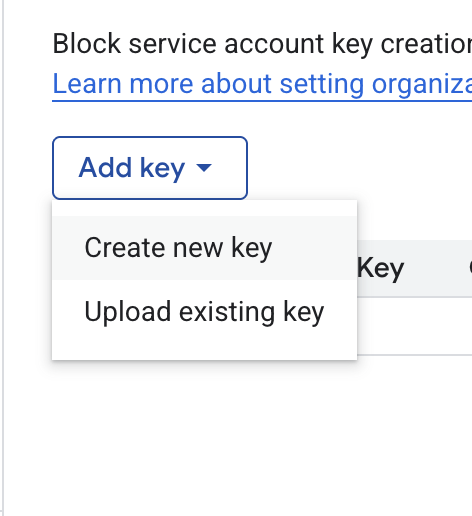
Click on add key and select Create new key
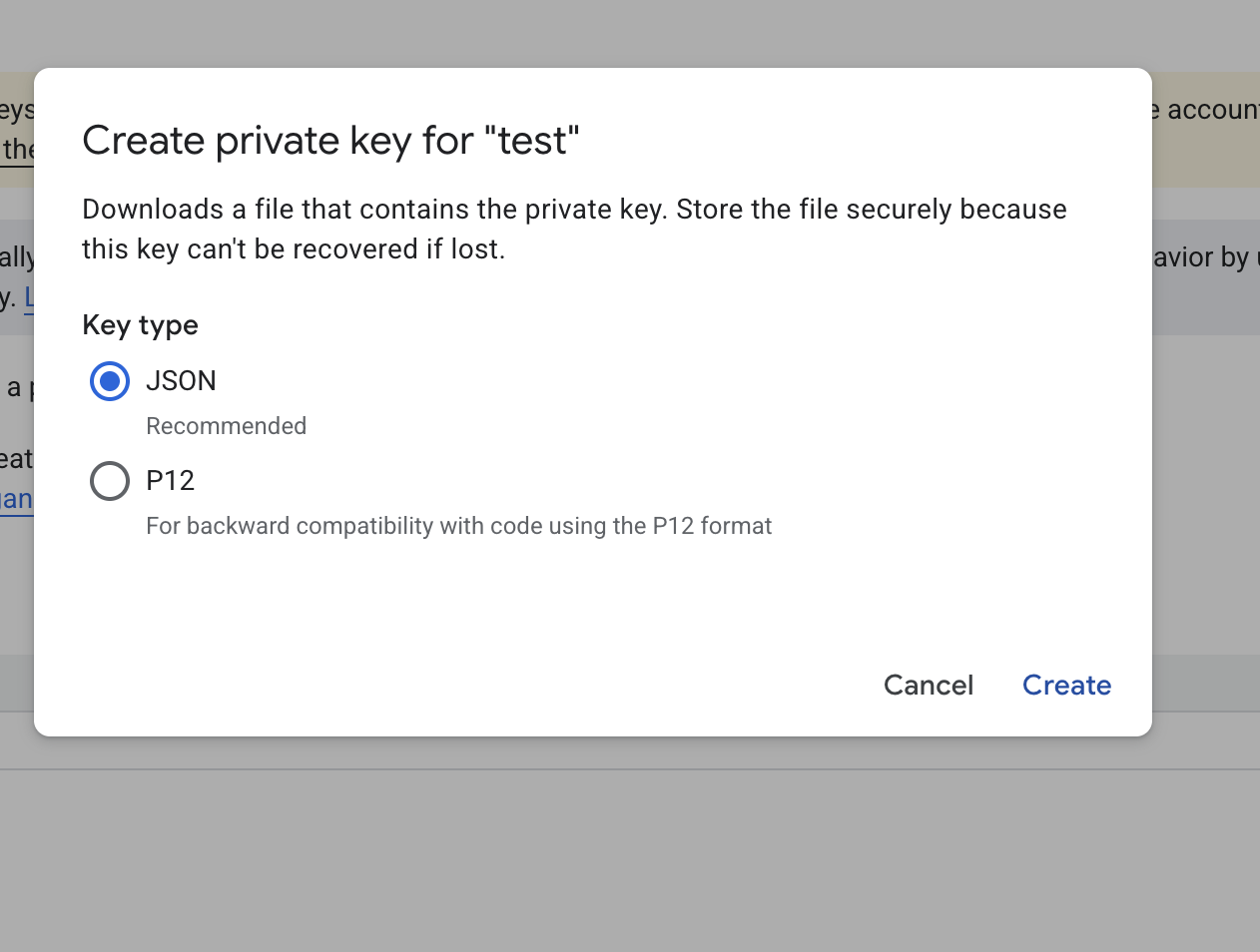
Make sure JSON is selected and click create, share the downloaded JSON with the Memorang team