How do I create distribution certificate?
Purpose
This guide will help you create an iOS Distribution Certificate in Apple Developer Center. This certificate is required to sign and distribute your Memorang-powered app for App Store release. It ensures that the app comes from a verified source and allows Memorang to build and submit the app on your behalf.
Steps: Creating a distribution certificate
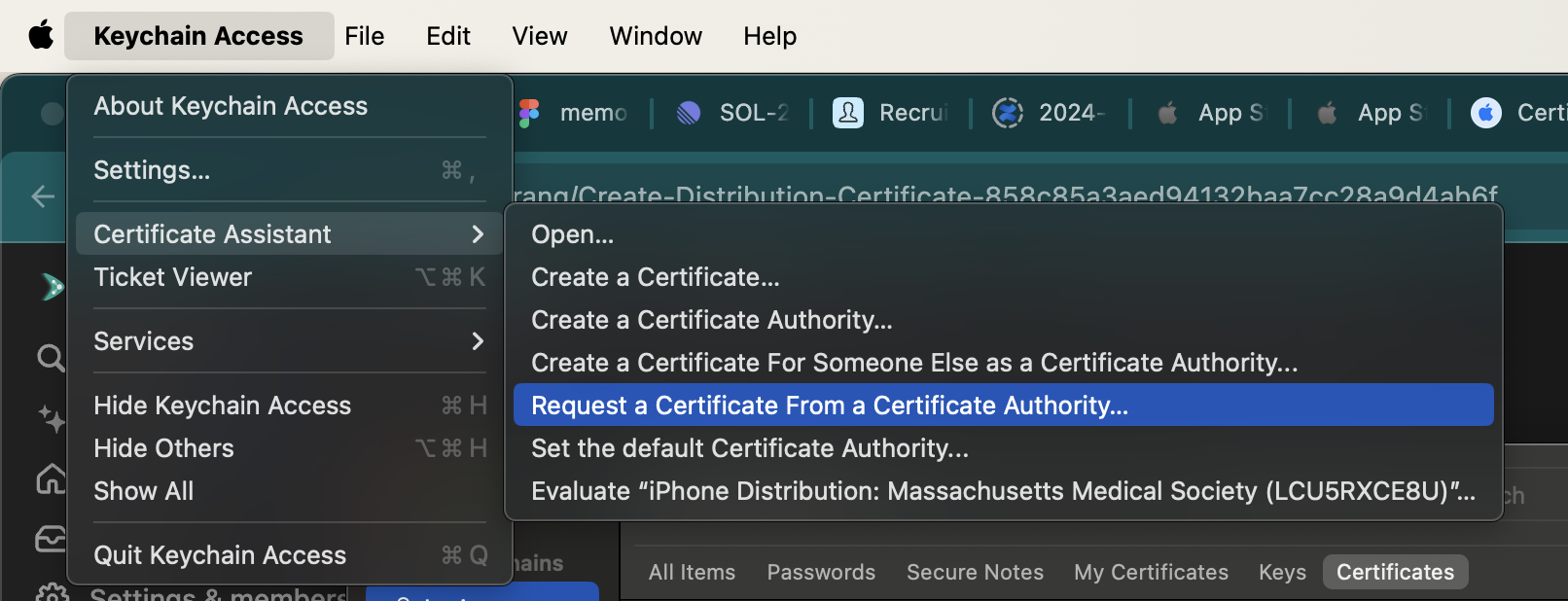
Open key chain access app and select
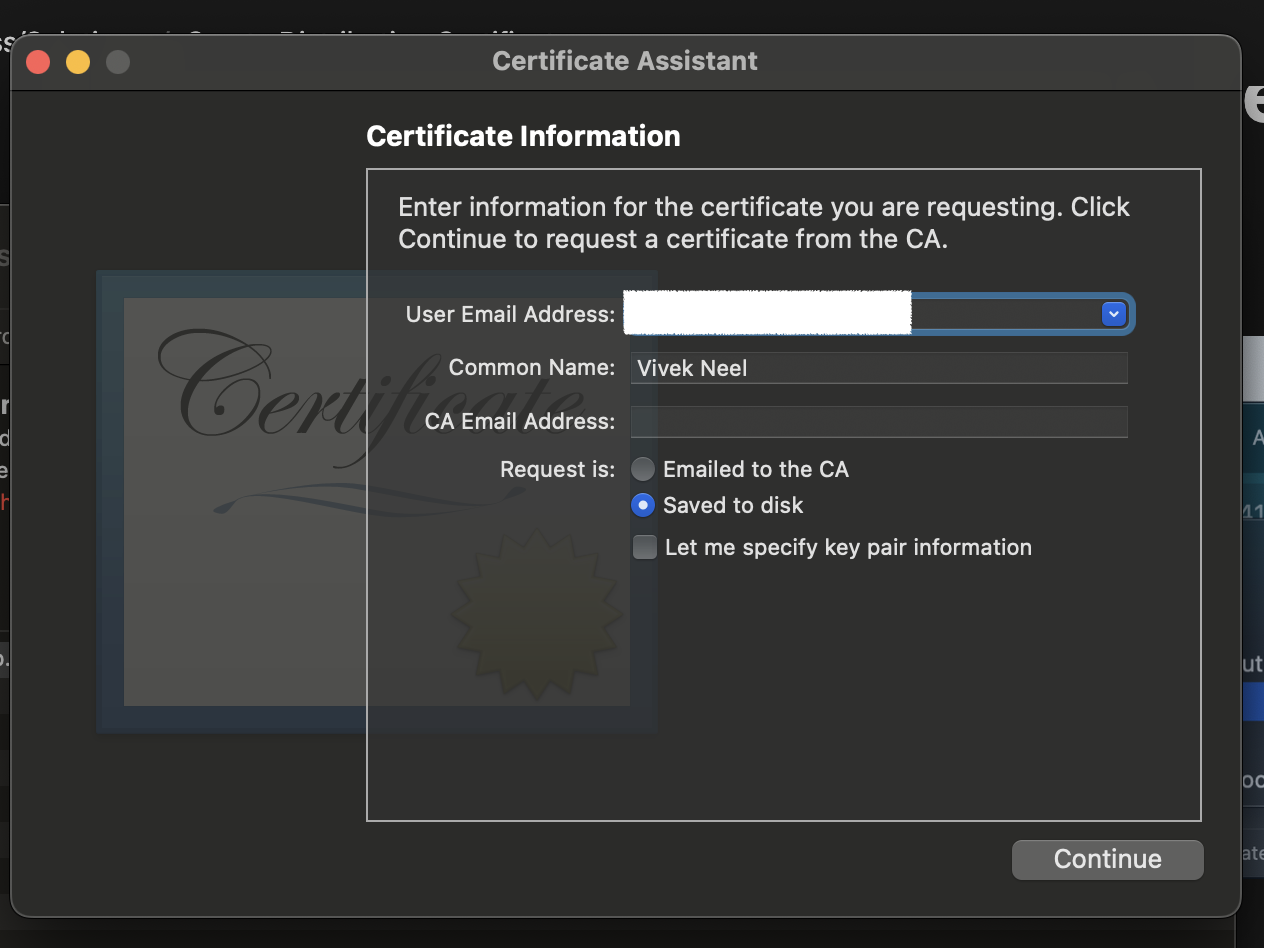
Enter email address, name and select saved to disk and hit continue
Go to https://developer.apple.com/account/resources/certificates/add
Select iOS distribution radio button
Select continue button and upload the iCertificateSigningRequest.certSigningRequest file that you have saved to disk
After hitting continue ios_distribution.cer will be downloaded, install the ios_distribution.cer by double clicking it
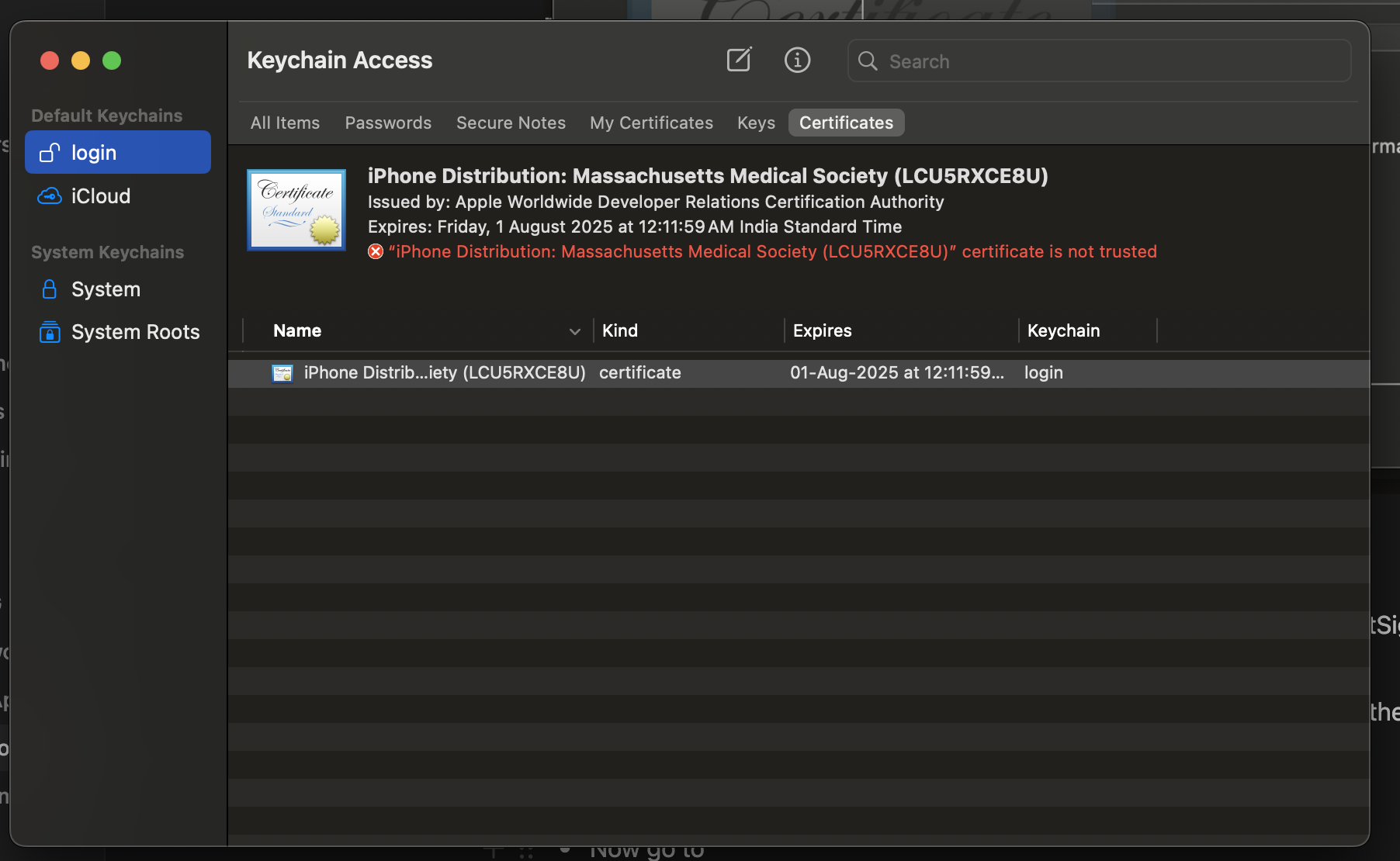
In the key chain access, make sure to select login from the dropdown
Now select certificates tab in the keychain app and make sure login is selected in the Default Keychains
Right click on the certificate and select export
From the dropdown select .p12 and share that to Memorang team with the password for .p12